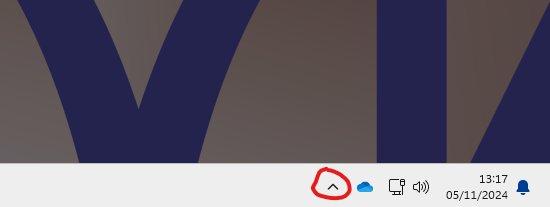
First, click on the up-arrow in the taskbar - this will be found in the bottom right, next to the date and time.
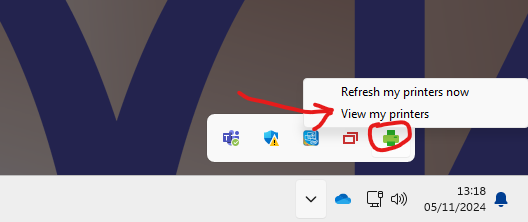
Next left click on the green printer icon and select view my printers - If this icon isn't showing in the menu then please restart the computer and try again.
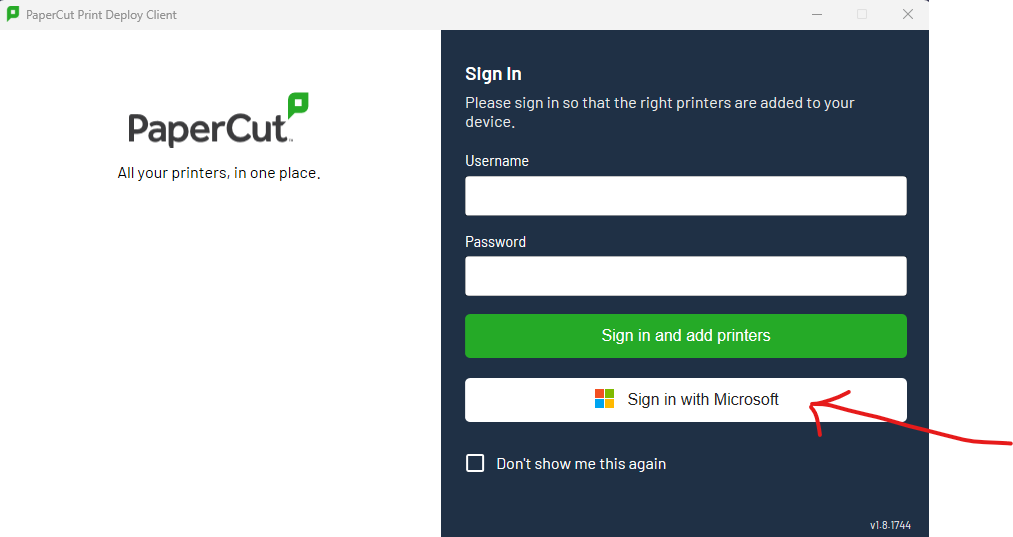
When the Print deploy client opens, click on "Sign in with Microsoft"
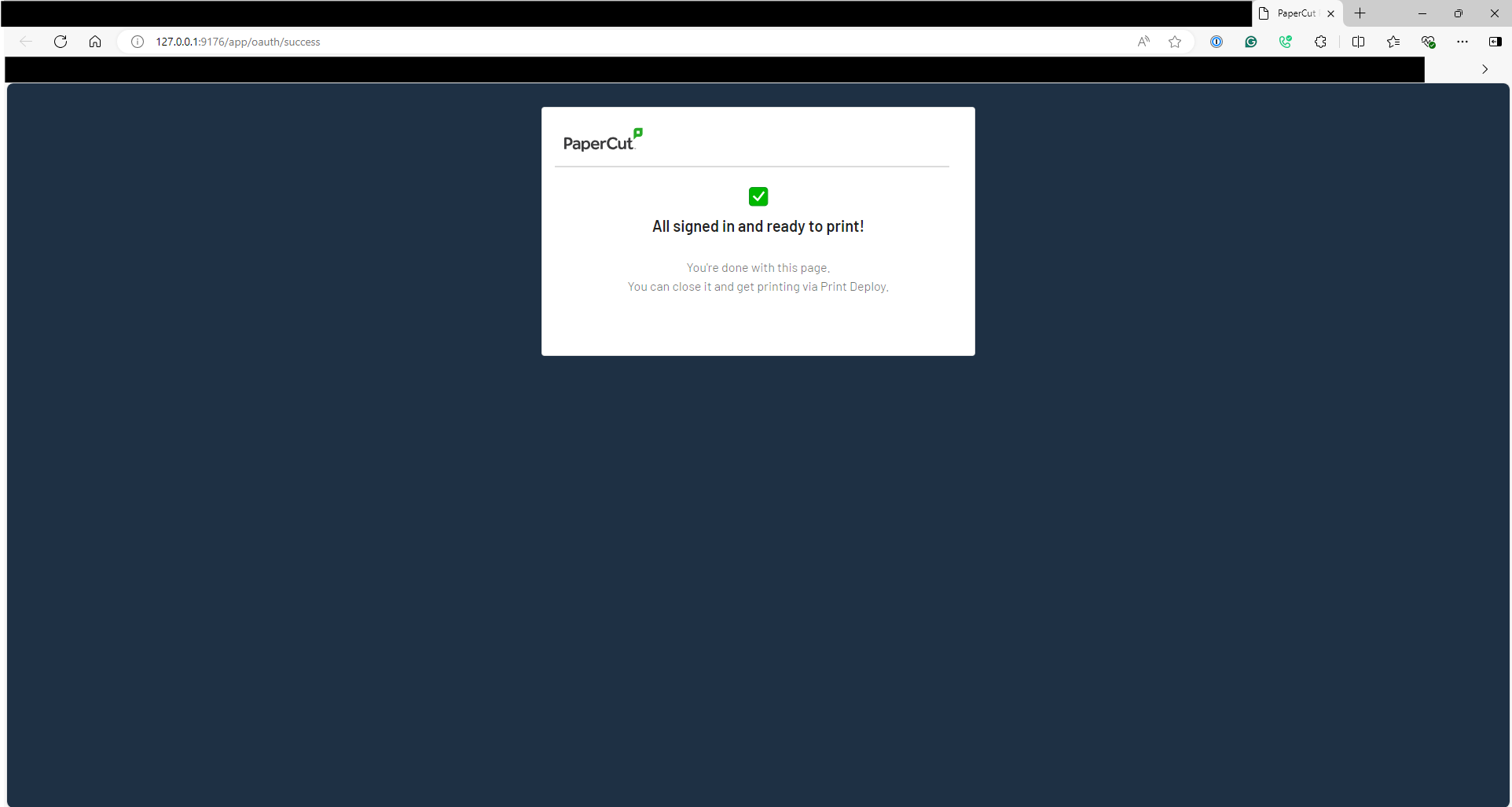
This webpage should open
Then the Print Deploy Client should install the Printers.
Was this article helpful?
That’s Great!
Thank you for your feedback
Sorry! We couldn't be helpful
Thank you for your feedback
Feedback sent
We appreciate your effort and will try to fix the article